Pseudocode across exam boards: OCR, Cambridge 9618, AQA and Python side by side
Pseudocode is not one notation. OCR's Exam Reference Language reads like Python, with = to assign and arrays from 0. Cambridge 9618 uses capital keywords, ←, typed DECLARE and arrays that usually start at 1. AQA mixes capitals and ← with 0-based indexing. Only Cambridge 9618 makes you write its own notation in the exam.
Below, all 51 constructs from the boards' own guides sit next to each other and next to Python, with the slips the examiners' reports say cost marks.
OCR
for i=1 to 5
    print(i)
next i
Cambridge 9618
FOR i ← 1 TO 5
   OUTPUT i
NEXT i
AQA
FOR i ← 1 TO 5
   OUTPUT i
ENDFOR
Python
for i in range(1, 6):
    print(i)
# ends at the dedent
Jump to
Junaid Khalid, software engineer and Computer Science tutor · Reviewed October 2026
The short answer
- OCR Exam Reference Language reads like Python: lower-case keywords,
=to assign,==to compare, arrays and strings from 0. - Cambridge 9618 pseudocode is the strictest and the most different: upper-case keywords,
←to assign, typedDECLARE,&to join strings, stated array bounds that usually start at 1, andCALLbefore a procedure. - AQA pseudo-code shares Cambridge's capitals and arrow but indexes from 0, writes
≠, closes loops withENDFORand uses oneSUBROUTINEkeyword for procedures and functions. - Only Cambridge 9618 makes you write its notation. OCR accepts a high-level language such as Python, and AQA accepts any clear format where pseudo-code is accepted.
The rest of this page is the detail behind those four lines. Every board cell is transcribed from the board's own document, with the section it came from, and where a guide does not define something the cell says so instead of guessing.
9
board documents read, with versions
7
examiner reports mined for slips
51
Python snippets executed by a test
25
worked results from the guides recomputed
How this was checked, on 8 October 2026: every guide was converted to text and each construct compared line by line with its PDF. The Cambridge guides for 2026 and for 2027 to 2029 were diffed against each other. Every Python cell runs in an automated test, and each result the guides quote, such as MID("ABCDEFGH", 2, 3) returning "BCD", is recomputed with that board's own indexing rule.
Do you have to write your board's pseudocode?
Only for Cambridge 9618. OCR accepts its Exam Reference Language or a high-level language such as Python, AQA accepts any clear format, and Cambridge 9618 Paper 2 requires its own pseudocode. The exact wording matters, and it changes between GCSE and A Level on the same board.
“Answers written in pseudocode, natural English or bullet points will not be awarded marks.”
Cambridge OCR GCSE (9-1) Computer Science J277 specification, Version 3.1, May 2026. Section 3c, OCR Exam Reference Language
“Learners are not expected to memorise the syntax of this pseudocode and when asked may provide answers in any style of pseudocode they choose providing its meaning could be reasonably inferred by a competent programmer.”
Cambridge OCR A Level Computer Science H446 specification, Version 3.0, April 2026. Appendix 5d, Pseudocode
“If the question asks for pseudocode, then variations with their studied programming language will be unacceptable for this component.”
Cambridge International 9618 Principal Examiner Report for Teachers, June 2024, Papers 21, 22 and 23
“Where pseudo-code is an accepted method of response, students may present their answers to questions in any suitable format and do not need to use the AQA pseudo-code.”
AQA GCSE Computer Science 8525 specification, Version 1.3, 16 June 2025. GCSE exams June 2027 onwards
Read the OCR GCSE line carefully: it does not ban code, it bans vagueness. Section B wants an answer in Exam Reference Language or a high-level programming language, judged for precision, so Python is fine and loose English is not. The Cambridge syllabus says Paper 2 candidates “will need to write answers in pseudocode”, and the examiners add that candidates “should not use language-specific functions or methods that do not appear in the Insert.” AQA's own guide puts its only direction in one line: pseudo-code must be “clear, consistent and unambiguous.”
AQA A-level is the odd case. AQA publishes a pseudo-code guide for GCSE only. The 7517 specification asks you to express algorithms in pseudo-code and hand-trace them, but defines no syntax. The June 2022 Paper 1 printed pseudo-code close to the GCSE style with its own differences: FUNCTION G(V, P) ... ENDFUNCTION rather than SUBROUTINE, FOR EACH N IN ConnectedNodes[V], LENGTH(Visited) rather than LEN(), and even a line of plain English, “Set all elements of Visited to False”, inside a function. If you take AQA A-level, learn to read both and write whatever is clearest.
How do OCR, Cambridge and AQA pseudocode differ?
Fourteen differences, and if you only learn one table, learn this one. Each row is a place where moving between boards, or between a board and Python, changes the answer.
| Construct | OCR | Cambridge 9618 | AQA | Python |
|---|---|---|---|---|
| Assign | x = 3 | x ← 3 | x ← 3 | x = 3 |
| Test equality | == | = | = | == |
| Not equal | != | <> | ≠ | != |
| Join strings | + | & | + | + |
| First index | 0 | Declared, usually 1 | 0 unless stated | 0 |
| 2D element | board[1,0] | Grid[2,3] | table[3][1] | table[3][1] |
| String length | s.length | LENGTH(s) | LEN(s) | len(s) |
| Substring | s.substring(start, count) | MID(s, start, length) | SUBSTRING(start, end, s) | s[start:stop] |
| Close FOR | next i | NEXT i | ENDFOR | dedent |
| Else-if | elseif | Not defined | ELSE IF | elif |
| Multi-way branch | switch ... endswitch | CASE OF ... ENDCASE | Not defined | match (3.10+) |
| Call a procedure | greeting("Ann") | CALL Greeting("Ann") | greeting('Ann') | greeting("Ann") |
| Comment | // | // | # | # |
| Keywords | lower case | UPPER CASE | UPPER CASE | lower case |
The substring row is the expensive one. The same five letters come out of three different calls: subject.substring(3,5) in OCR is start 3, five characters, counting from 0. MID(s, 2, 3) in Cambridge is start 2, three characters, counting from 1. SUBSTRING(2, 9, s) in AQA is from position 2 to position 9 inclusive, counting from 0. Python's s[2:10] stops before 10. Each of those examples is the board's own, and our test suite recomputes every quoted result.
All 51 constructs, side by side
Every construct that at least one board's guide defines, in four columns: OCR, Cambridge 9618, AQA and Python. Pick the boards you want to compare, or filter by a word such as loop, substring or ENDCASE. The view is saved in the address bar, so you can send a class straight to “OCR against Cambridge, files only”. Every snippet has a copy button, and every Python snippet is run by our test suite before the page is published.
51 of 51 shown
Basics8 constructs
Comments
#commentOCR and Cambridge use //. AQA and Python use #. comment remark
//This function squares a numberJ277 3c
// this procedure swaps
// values of X and Y
Each line of a multi-line comment starts with //. 9618 guide 1.5
# comment
# comment and so on
Multi-line comments repeat # on every line. AQA p. 2
# This function squares a numberAssignment
#assignmentOCR assigns with =. Cambridge and AQA use the arrow, because = is their equality test. assign arrow equals variable
x = 3
name = "Louise"
J277 3c
Counter ← 0
Counter ← Counter + 1
The assignment operator is ←. 9618 guide 2.6
a ← 3
b ← a + 1
c ← 'Hello'
AQA p. 2
x = 3
name = "Louise"
Constants
#constantCambridge writes CONSTANT X = value. AQA writes CONSTANT X ← value. Same keyword, different operator. const constant
const vat = 0.2Defined in J277 only. The H446 appendix has no constant keyword. J277 3c
CONSTANT HourlyRate = 6.50
CONSTANT DefaultText = "N/A"
Only literals can be used as the value of a constant. 9618 guide 2.5
CONSTANT PI ← 3.141
CONSTANT CLASS_SIZE ← 23
Names of constants are always written in capitals. AQA p. 2
VAT = 0.2Capitals are a naming convention only. Python has no constant keyword.
Declaring a variable and its type
#declareOnly Cambridge has a declaration statement. OCR declares on first assignment. declare declaration type integer real string boolean char date
Not defined in the guide. No declaration statement. H446: a variable is declared the first time a value is assigned and assumes the data type of that value.
DECLARE Counter : INTEGER
DECLARE TotalToPay : REAL
DECLARE GameOver : BOOLEAN
Types: INTEGER, REAL, CHAR, STRING, BOOLEAN, DATE. Declaring is described as good practice. 9618 guide 2.1, 2.4
Not defined in the guide. Type names (String, Real, Integer) appear only inside RECORD declarations.
counter: int = 0
total_to_pay: float = 0.0
Annotations are optional hints. counter = 0 is the usual form.
Global variables
#globalOnly OCR has a keyword for it. global scope local
global userID = "Cust001"Variables declared inside a function or procedure are local to it (H446). J277 3c
Not defined in the guide.
Not defined in the guide.
user_id = "Cust001"

def log_out():
    global user_id
    user_id = ""
global is only needed to reassign the name inside a function.
Input
#inputOCR's input() takes a prompt. Cambridge INPUT is a statement. AQA USERINPUT is an expression. input read keyboard userinput
myName = input("Please enter a name")J277 3c
INPUT Answer9618 guide 5.1
a ← USERINPUTAQA p. 15
my_name = input("Please enter a name")Output
#outputOCR uses print(). Cambridge and AQA use OUTPUT with comma-separated values. output print display
print("My name is Noni")J277 3c
OUTPUT "You have ", Lives, " lives left"9618 guide 5.1
OUTPUT a
OUTPUT a, g
AQA p. 15
print("You have", lives, "lives left")Keyword case
#case-conventionOCR keywords are lower case. Cambridge and AQA keywords are upper case. case uppercase lowercase capital keyword indentation
if ... then
elseif ... then
else
endif
Lower-case keywords; operators AND, OR, NOT, MOD and DIV are capitals. J277 3c
IF ... THEN
ELSE
ENDIF
Keywords upper case, identifiers mixed case (NumberOfPlayers), indent usually three spaces. Identifiers are case insensitive. 9618 guide 1.2, 1.3, 2.3
IF ... THEN
ELSE IF ... THEN
ELSE
ENDIF
Keywords are emboldened in the guide and printed in capitals. AQA p. 1, 8
if score > 10:
    print("high")
elif score > 5:
    print("medium")
else:
    print("low")
Lower case, case sensitive, and indentation is syntax.
Operators7 constructs
Arithmetic
#arithmeticAll four use + - * /. Cambridge says / always gives a REAL. add subtract multiply divide plus minus times
x = 6+5     // gives 11
x = 12/2    // gives 6
H446 5d
TotalToPay ← NumberOfHours * HourlyRate/ gives a REAL even if both operands are integers. 9618 guide 5.2
a + b * c
(a + b) * c
Brackets indicate precedence. / is used instead of ÷. AQA p. 3
x = 6 + 5   # 11
x = 12 / 2  # 6.0 (always a float)
Integer division and remainder
#div-modEvery board spells them DIV and MOD. Python uses // and %. div mod modulus quotient remainder integer division floor
17 DIV 5   // gives 3
12 MOD 5   // gives 2
H446 5d
10 DIV 3   // evaluates to 3
10 MOD 3   // evaluates to 1
The examples are from the Paper 2 insert; the guide defines DIV and MOD without examples. 9618 guide 5.2; 9618/21 insert
9 DIV 5   # evaluates to 1
9 MOD 5   # evaluates to 4
AQA p. 3
17 // 5   # 3
12 % 5    # 2
// floors, so -7 // 2 is -4. No guide defines DIV or MOD for negative numbers.
Exponent
#powerOnly OCR defines one, and it is ^, which means something else in Python. power exponent squared index
3^4 // gives 81H446 5d
Not defined in the guide.
Not defined in the guide.
3 ** 4 # 81In Python ^ is bitwise XOR, so 3 ^ 4 is 7.
Comparison
#comparisonEquality is == in OCR, = in Cambridge and AQA. Not-equal is != , <> and ≠ respectively. equal not equal less greater compare relational
== != < <= > >=J277 3c
= <> < <= > >=9618 guide 5.3
= ≠ < ≤ > ≥AQA p. 4
a == b, a != b
a < b, a <= b
a > b, a >= b
Boolean operators
#logicalAND, OR, NOT in capitals on every board. Lower case in Python. and or not boolean logic
while x<=5 AND flag==falseH446 5d
AND OR NOT9618 guide 5.4
(3 = 3) AND (3 ≤ 4)
(x < 1) OR (x > 9)
NOT (a < b)
AQA p. 4
x <= 5 and not flagJoining strings
#concatCambridge is the odd one out: & joins strings, and + costs marks. concatenate concatenation join ampersand plus
print("Hello, your name is: " + name)J277 3c
"Summer" & " " & "Pudding"Produces "Summer Pudding". 9618 guide 5.5
'computer' + 'science'Evaluates to 'computerscience'. AQA p. 13
greeting = "Hello, your name is: " + name
greeting = f"Hello, your name is: {name}"
String, character and Boolean literals
#literalsCambridge separates 'X' (CHAR) from "X" (STRING). AQA's examples use single quotes. quotes string char character boolean true false literal
name = "Bob"
flag == false
Double quotes for strings; the H446 example writes false in lower case. H446 5d
'x'           // CHAR
"This is a string"   // STRING
TRUE  FALSE
A REAL literal always has a digit either side of the point: 4.0, 0.3. 9618 guide 2.2
c ← 'Hello'
True  False
Boolean values are written False or True. AQA p. 1, 2
'x' == "x"   # True: both are str
game_over = FalseSelection3 constructs
IF ... ELSE
#if-elseOCR needs then and endif in lower case. Cambridge and AQA use THEN ... ENDIF. if then else endif selection condition
if answer == "Yes" then
    print("Correct")
else
    print("Error")
endif
J277 3c
IF ChallengerScore > ChampionScore THEN
   OUTPUT ChallengerName, " is the new champion"
ELSE
   OUTPUT ChampionName, " is still the champion"
ENDIF
9618 guide 6.1
IF (a MOD 2) = 0 THEN
   OUTPUT 'even'
ELSE
   OUTPUT 'odd'
ENDIF
AQA p. 7
if answer == "Yes":
    print("Correct")
else:
    print("Error")
Else-if chains
#else-ifOCR: elseif (one word). AQA: ELSE IF (two words). Cambridge defines neither. elseif else if elif chain nested
if answer == "Yes" then
    print("Correct")
elseif answer == "No" then
    print("Wrong")
else
    print("Error")
endif
J277 3c
Not defined in the guide. Its own example nests an IF inside the ELSE, each with its own ENDIF. CASE is the other route.
IF (a MOD 4) = 0 THEN
   OUTPUT 'multiple of 4'
ELSE IF (a MOD 4) = 1 THEN
   OUTPUT 'leaves a remainder of 1'
ELSE
   OUTPUT 'leaves a remainder of 3'
ENDIF
AQA p. 8
if answer == "Yes":
    print("Correct")
elif answer == "No":
    print("Wrong")
else:
    print("Error")
CASE / switch
#caseOCR: switch ... endswitch. Cambridge: CASE OF ... ENDCASE with ranges. AQA has none. case switch select otherwise default match
switch day :
    case "Sat":
        print("Saturday")
    case "Sun":
        print("Sunday")
    default:
        print("Weekday")
endswitch
J277 3c
CASE OF Move
   'W' : Position ← Position - 10
   'S' : Position ← Position + 10
   OTHERWISE : CALL Beep
ENDCASE
A case can be a range: <value1> TO <value2>. Cases are tested in order and only the first match runs. OTHERWISE must be last. 9618 guide 6.2
Not defined in the guide. Use IF ... ELSE IF.
match day:
    case "Sat":
        print("Saturday")
    case "Sun":
        print("Sunday")
    case _:
        print("Weekday")
match needs Python 3.10 or later.
Iteration5 constructs
Count-controlled loop
#forOCR and Cambridge close with next i / NEXT i. AQA closes with ENDFOR. All include the end value; Python's range does not. for loop next endfor count controlled definite range
for i=0 to 9
    print("Loop")
next i
Prints "Loop" 10 times, 0 to 9 inclusive. J277 3c
FOR Index ← 1 TO 30
   StudentNames[Index] ← ""
NEXT Index
Both bounds inclusive. Repeating the identifier after NEXT is good practice. 9618 guide 3.2, 7.1
FOR a ← 1 TO 3
   OUTPUT a
ENDFOR
# will output 1, 2, 3
The loop variable does not exist after the loop has finished. AQA p. 6
for i in range(0, 10):
    print("Loop")
range(0, 10) stops at 9: the end value is excluded.
Loop with a step
#for-stepstep in OCR, STEP in Cambridge and AQA. All three allow a negative step. step decrement count down negative
for i=10 to 0 step -1
    print(i)
next i
Prints 10 down to 0 inclusive. J277 3c
FOR Position ← 20 TO 10 STEP -1
   ...
NEXT Position
9618 guide 7.1, 9.2
FOR a ← 5 TO 1 STEP -2
   OUTPUT a
ENDFOR
# will output 5, 3, 1
AQA p. 6
for i in range(10, -1, -1):
    print(i)
Pre-condition loop (WHILE)
#whilewhile ... endwhile on OCR, WHILE ... ENDWHILE on Cambridge and AQA. No DO on any board. while endwhile condition controlled pre-condition indefinite
while answer != "Correct"
    answer = input("New answer")
endwhile
J277 3c
WHILE Number > 9
   Number ← Number - 9
ENDWHILE
9618 guide 7.3
WHILE a < 4
   OUTPUT a
   a ← a + 1
ENDWHILE
AQA p. 5
while answer != "Correct":
    answer = input("New answer")
Post-condition loop
#repeatOCR: do ... until. Cambridge and AQA: REPEAT ... UNTIL. Python has no equivalent keyword. repeat until do post-condition
do
    answer = input("New answer")
until answer == "Correct"
Runs once before the condition is checked. J277 3c
REPEAT
   OUTPUT "Please enter the password"
   INPUT Password
UNTIL Password = "Secret"
9618 guide 7.2
REPEAT
   OUTPUT a
   a ← a + 1
UNTIL a = 4
AQA p. 5
while True:
    answer = input("New answer")
    if answer == "Correct":
        break
For each item
#for-eachOnly AQA defines it. Cambridge examiners have penalised it as Python-like syntax. for each in foreach iterate collection
Not defined in the guide.
Not defined in the guide. The June 2024 examiner report lists FOR Line IN InputFile as a common mistake.
FOR prime IN primes
   total ← total + prime
ENDFOR
Also works over the characters of a string. Array items cannot be modified this way. AQA p. 6, 10
for prime in primes:
    total = total + prime
Arrays and records7 constructs
Declaring a 1D array
#array-1dOCR and AQA index from 0. Cambridge states both bounds, usually from 1. array list declare one-dimensional index bound zero
array colours[5]
array colours = ["Blue", "Pink", "Green", "Yellow", "Red"]
array colours[5] has 5 elements, index 0 to 4. Arrays store a single data type. J277 3c
DECLARE StudentNames : ARRAY[1:30] OF STRINGGood practice to state the lower bound; generally 1 is used. 9618 guide 3.1
primes ← [2, 3, 5, 7, 11, 13]Exam questions index from 0 unless they say otherwise. AQA p. 1, 9
colours = ["Blue", "Pink", "Green", "Yellow", "Red"]
names = [""] * 5
Reading and updating an element
#array-accessSquare brackets everywhere. Watch which index is first. index element subscript update
names[3] = "Noni"
print(names[3])
J277 3c; H446 5d
StudentNames[1] ← "Ali"
StudentNames[n+1] ← StudentNames[n]
9618 guide 3.2
primes[0]       # evaluates to 2
primes[5] ← 17
AQA p. 9
names[3] = "Noni"
print(names[3])
2D arrays
#array-2dOCR and Cambridge write [row, column]. AQA and Python write [row][column]. 2d two-dimensional matrix grid table
array gameboard[8,8]
gameboard[1,0] = "Pawn"
J277 3c
DECLARE NoughtsAndCrosses : ARRAY[1:3,1:3] OF CHAR
NoughtsAndCrosses[2,3] ← 'X'
9618 guide 3.1, 3.2
table ← [[1, 2],[2, 4],[3, 6],[4, 8]]
table[3][1]        # evaluates to 8
table[3][1] ← 16
AQA p. 9
gameboard = [["" for col in range(8)] for row in range(8)]
gameboard[1][0] = "Pawn"
Assigning a whole array
#array-wholeCambridge allows it for same-size arrays, and bans assigning a range in one statement. copy array assign whole
Not defined in the guide.
SavedGame ← NoughtsAndCrossesAllowed if same size and type. StudentNames[1 TO 30] ← "" should not be used: loop instead. 9618 guide 3.2
Not defined in the guide.
saved_game = [row[:] for row in board]saved_game = board would share the same list, not copy it.
Length of an array
#array-lengthOnly AQA defines it, as LEN(). len length size count array
Not defined for arrays in the guide (.length is defined for strings).
Not defined for arrays in the guide (LENGTH is a string function).
LEN(primes)      # evaluates to 6
LEN(table[0])    # evaluates to 2
AQA p. 10
len(primes)
len(table[0])
Records
#recordCambridge: TYPE ... ENDTYPE with DECLARE lines. AQA: RECORD ... ENDRECORD. OCR's guide has none. record type struct field dot notation user-defined
Not defined in the guide, although J277 content (2.2.3) covers the use of records to store data.
TYPE StudentRecord
   DECLARE LastName : STRING
   DECLARE YearGroup : INTEGER
ENDTYPE

DECLARE Pupil1 : StudentRecord
Pupil1.LastName ← "Johnson"
Form[Index].YearGroup ← Form[Index].YearGroup + 1
9618 guide 4.1, 4.2
RECORD Car
   make : String
   model : String
   reg : String
   price : Real
   noOfDoors : Integer
ENDRECORD

myCar ← Car('Ford', 'Focus', 'DX17 GYT', 1399.99, 5)
myCar.model ← 'Fiesta'
AQA p. 11
from dataclasses import dataclass

@dataclass
class Car:
    make: str
    model: str
    reg: str
    price: float
    no_of_doors: int

my_car = Car("Ford", "Focus", "DX17 GYT", 1399.99, 5)
my_car.model = "Fiesta"
Enumerated, pointer and set types
#user-typesCambridge only. enum enumerated pointer set caret type
Not defined in the guide.
TYPE Season = (Spring, Summer, Autumn, Winter)
TYPE TIntPointer = ^INTEGER
TYPE LetterSet = SET OF CHAR
DEFINE Vowels ('A','E','I','O','U'): LetterSet
MyPointer ← ^ThisSeason takes an address; MyPointer^ reads the value stored there. 9618 guide 4.1, 4.2
Not defined in the guide.
from enum import Enum

class Season(Enum):
    SPRING = 1
    SUMMER = 2
    AUTUMN = 3
    WINTER = 4

vowels = {"A", "E", "I", "O", "U"}
Python has no pointer type.
Procedures and functions5 constructs
Defining a procedure
#procedureAQA has one keyword, SUBROUTINE, for both kinds. A RETURN makes it a function. procedure subroutine define endprocedure
procedure greeting(name)
    print("hello"+name)
endprocedure
H446 5d
PROCEDURE Square(Size : INTEGER)
   FOR Side ← 1 TO 4
      CALL MoveForward(Size)
      CALL Turn(90)
   NEXT Side
ENDPROCEDURE
Every parameter has a data type. 9618 guide 8.1
SUBROUTINE showAdd(a, b)
   result ← a + b
   OUTPUT result
ENDSUBROUTINE
A subroutine with no RETURN is a procedure. AQA p. 12
def greeting(name):
    print("hello" + name)
Calling a procedure
#procedure-callCambridge alone needs CALL, and only for procedures. call invoke procedure
greeting("Hamish")H446 5d
CALL Square(100)
CALL DefaultSquare()
9618 guide 8.1
showAdd(2, 3)AQA p. 12
greeting("Hamish")Defining a function
#functionCambridge declares the return type with RETURNS. OCR and AQA do not type anything. function return returns endfunction
function triple(number)
    return number*3
endfunction
H446 5d
FUNCTION Max(Number1 : INTEGER, Number2 : INTEGER) RETURNS INTEGER
   IF Number1 > Number2 THEN
      RETURN Number1
   ELSE
      RETURN Number2
   ENDIF
ENDFUNCTION
RETURN ends the function immediately. 9618 guide 8.2
SUBROUTINE add(a, b)
   result ← a + b
   RETURN result
ENDSUBROUTINE
AQA p. 12
def triple(number):
    return number * 3
Calling a function
#function-callA function call is part of an expression. Writing CALL in front of one is a Cambridge mark-loser. call function expression return value
y=triple(7)H446 5d
OUTPUT "Penalty Fine = ", Max(10, Distance*2)The keyword CALL should not be used when calling a function. 9618 guide 8.2
answer ← add(2, 3) * 6AQA p. 12
y = triple(7)By value and by reference
#byrefBy value is the default on OCR and Cambridge. Cambridge's BYREF covers every parameter after it. byref byval reference value parameter passing
procedure foobar(x:byVal, y:byRef)
    ...
endprocedure
A-Level only. Values are passed by value unless stated. H446 5d
PROCEDURE SWAP(BYREF X : INTEGER, Y : INTEGER)
   Temp ← X
   X ← Y
   Y ← Temp
ENDPROCEDURE
BYREF need not be repeated, so Y is by reference too. Parameters should not be passed by reference to a function. 9618 guide 8.3
Not defined in the guide.
def swap(x, y):
    return y, x

a, b = swap(a, b)
Python has no by-reference parameters. Return the new values, or mutate a list passed in.
Strings and conversion7 constructs
String length
#length.length in OCR, LENGTH() in Cambridge, LEN() in AQA. Cambridge examiners have penalised LEN(). length len size characters
subject = "ComputerScience"
subject.length        // gives 15
J277 3c
LENGTH("Happy Days") // returns 109618 guide 5.5
LEN('computer science') # evaluates to 16AQA p. 13
len("Happy Days") # 10Substrings
#substringThree boards, three argument orders: (start, count) from 0; (string, start, length) from 1; (start, end, string) inclusive from 0. substring mid slice substr part
subject.substring(3,5) // returns "puter"Start index, then number of characters. 0 indexed. J277 3c
MID("ABCDEFGH", 2, 3) // returns "BCD"String, start position, length. Position 1 is the first character. 9618 guide 5.5
SUBSTRING(2, 9, 'computer science')
# evaluates to 'mputer s'
Start position, end position (both included), then the string. Indexing from 0. AQA p. 13
"ComputerScience"[3:8]      # 'puter'    = OCR substring(3,5)
"ABCDEFGH"[1:4]             # 'BCD'      = MID(..., 2, 3)
"computer science"[2:10]    # 'mputer s' = SUBSTRING(2, 9, ...)
A slice [a:b] starts at a and stops before b.
Left and right characters
#left-rightOCR methods .left() and .right(). Cambridge's guide has RIGHT only; LEFT appears in the exam insert. left right first last characters
subject.left(4)    // returns "Comp"
subject.right(3)   // returns "nce"
J277 3c
RIGHT("ABCDEFGH", 3)   // returns "FGH"
LEFT("ABCDEFGH", 3)    // returns "ABC"
RIGHT is in the guide. LEFT is not; it is supplied in the Paper 2 insert. 9618 guide 5.5; 9618/21 insert
Not defined in the guide. Use SUBSTRING.
subject[:4]    # 'Comp'
subject[-3:]   # 'nce'
Upper and lower case
#case-convertThe Cambridge guide's UCASE/LCASE take one CHAR. The exam insert uses TO_UPPER/TO_LOWER instead. upper lower ucase lcase to_upper to_lower capital
subject.upper   // gives "COMPUTERSCIENCE"
subject.lower   // gives "computerscience"
J277 3c
UCASE('h')   // returns 'H'
LCASE('W')   // returns 'w'
The June 2024 Paper 2 insert gives TO_UPPER(x) and TO_LOWER(x) for a CHAR or a STRING, e.g. TO_UPPER("Error 803"). 9618 guide 5.5; 9618/21 insert
Not defined in the guide.
subject.upper()
subject.lower()
Character codes
#char-codesOCR: ASC/CHR. AQA: CHAR_TO_CODE/CODE_TO_CHAR. Cambridge: only in the exam insert. ascii asc chr ord char code unicode
ASC('A')   // returns 65
CHR(97)    // returns 'a'
J277 3c
ASC('A')   // returns 65
CHR(65)    // returns 'A'
Exam insert onlyNot in the guide. Supplied in the Paper 2 insert. 9618/21 insert
CHAR_TO_CODE('a')   # evaluates to 97
CODE_TO_CHAR(97)    # evaluates to 'a'
AQA p. 14
ord("A")   # 65
chr(97)    # 'a'
Converting between types
#castingOCR borrows Python's names. AQA spells out every direction. Cambridge's guide has INT(); the rest are in the insert. cast casting convert int str float real string to int
str(345)
int("3")
float("4.52")
real("4.52")
bool("True")
J277 3c
INT(27.5415) // returns 27The Paper 2 insert adds NUM_TO_STR(87.5) returns "87.5", STR_TO_NUM("23.45") and IS_NUM(). 9618 guide 5.6; 9618/21 insert
STRING_TO_INT('16')
STRING_TO_REAL('16.3')
INT_TO_STRING(16)
REAL_TO_STRING(16.3)
AQA p. 14
str(345)
int("3")
float("4.52")
int(27.5415)   # 27
Careful: bool("False") is True in Python, because any non-empty string is True.
Random numbers
#randomOCR random(1,6) and AQA RANDOM_INT(1, 6) include both ends. Cambridge RAND(x) gives a REAL below x. random rand dice randint
myVariable = random(1,6)
myVariable = random(-1.0,10.0)
An integer 1 to 6 inclusive; a real -1.0 to 10.0 inclusive. J277 3c
RAND(87) // may return 35.43A REAL from 0 up to, but not including, x. 9618 guide 5.6
diceRoll ← RANDOM_INT(1, 6)Between 1 and 6 inclusive. AQA p. 15
import random
random.randint(1, 6)       # 1 to 6 inclusive
random.uniform(-1.0, 10.0)
File handling5 constructs
Opening and reading a text file
#file-readOCR GCSE writes open(), OCR A-Level writes openRead(). Cambridge uses statements with the file name every time. file open read readline openfile readfile
myFile = open("sample.txt")
x = myFile.readLine()
myFile.close()
J277. The H446 appendix opens for reading with openRead("sample.txt"). J277 3c; H446 5d
OPENFILE "FileA.txt" FOR READ
READFILE "FileA.txt", LineOfText
CLOSEFILE "FileA.txt"
Modes: READ, WRITE, APPEND. A file is open in one mode at a time. 9618 guide 9.1
Not defined in the guide.
with open("sample.txt") as my_file:
    x = my_file.readline()
Reading to the end of a file
#file-eofOCR: .endOfFile(). Cambridge: EOF(file name), which examiners report candidates leave empty. eof end of file endoffile loop lines
while NOT myFile.endOfFile()
    print(myFile.readLine())
endwhile
J277 3c
WHILE NOT EOF("FileA.txt")
   READFILE "FileA.txt", LineOfText
ENDWHILE
9618 guide 9.1
Not defined in the guide.
with open("sample.txt") as my_file:
    for line in my_file:
        print(line.rstrip("\n"))
Writing to a text file
#file-writeOCR's two guides disagree: J277 writeLine adds to the end, H446 openWrite overwrites. write writeline writefile append openwrite
myFile = openWrite("sample.txt")
myFile.writeLine("Hello World")
myFile.close()
H446: openWrite overwrites any previous contents. J277: writeLine on a file from open() writes to the END of the file. H446 5d; J277 3c
OPENFILE "FileB.txt" FOR WRITE
WRITEFILE "FileB.txt", LineOfText
CLOSEFILE "FileB.txt"
WRITE creates a new file and loses existing data. APPEND adds after it. 9618 guide 9.1
Not defined in the guide.
with open("sample.txt", "w") as my_file:
    my_file.write("Hello World\n")
"w" overwrites, "a" appends.
Creating a new file
#file-newOnly OCR GCSE has a separate command. newfile create file
newFile("myText.txt")The file then has to be opened with open(). J277 3c
Not defined in the guide. No separate command. Opening FOR WRITE creates a new file.
Not defined in the guide.
open("myText.txt", "x").close() # fails if it existsRandom-access files
#file-randomCambridge only: SEEK, GETRECORD and PUTRECORD. random access seek getrecord putrecord binary
Not defined in the guide.
OPENFILE "StudentFile.Dat" FOR RANDOM
SEEK "StudentFile.Dat", 10
GETRECORD "StudentFile.Dat", Pupil
PUTRECORD "StudentFile.Dat", NewPupil
9618 guide 9.2
Not defined in the guide.
with open("students.dat", "r+b") as f:
    f.seek(10 * RECORD_SIZE)
    data = f.read(RECORD_SIZE)
Python seeks to a byte offset, so the record size is yours to define.
Objects4 constructs
Class and constructor
#classBoth OCR A-Level and Cambridge call the constructor new / NEW. AQA's guide has no objects. class object constructor new oop attribute
class Pet
    private name
    public procedure new(givenName)
        name=givenName
    endprocedure
endclass
A-Level (H446) only. H446 5d
CLASS Pet
   PRIVATE Name : STRING
   PUBLIC PROCEDURE NEW(GivenName : STRING)
      Name ← GivenName
   ENDPROCEDURE
ENDCLASS
9618 guide 10.2
Not defined in the guide.
class Pet:
    def __init__(self, given_name):
        self._name = given_name
Inheritance
#inheritinherits / INHERITS, and the parent constructor is reached through super / SUPER. inherit inherits super subclass parent
class Dog inherits Pet
    private breed
    public procedure new(givenName, givenBreed)
        super.new(givenName)
        breed=givenBreed
    endprocedure
endclass
H446 5d
CLASS Cat INHERITS Pet
   PRIVATE Breed: STRING
   PUBLIC PROCEDURE NEW(GivenName : STRING, GivenBreed : STRING)
      SUPER.NEW(GivenName)
      Breed ← GivenBreed
   ENDPROCEDURE
ENDCLASS
The 2026 guide declared Breed as INTEGER while assigning it a STRING. The 2027 to 2029 guide fixes it. 9618 guide 10.2
Not defined in the guide.
class Dog(Pet):
    def __init__(self, given_name, given_breed):
        super().__init__(given_name)
        self._breed = given_breed
Creating an object and calling a method
#object-useOCR: new Dog(...). Cambridge: NEW Cat(...). Python has no new keyword. instance instantiate new method call object
myDog = new Dog("Fido", "Scottish Terrier")
player.setAttempts(5)
print(player.getAttempts())
H446 5d
MyCat ← NEW Cat("Kitty", "Shorthaired")
Player.SetAttempts(5)
OUTPUT Player.GetAttempts()
9618 guide 10.1, 10.2
Not defined in the guide.
my_dog = Dog("Fido", "Scottish Terrier")
player.set_attempts(5)
print(player.get_attempts())
Public and private members
#accessBoth boards assume public unless the question says otherwise. public private access modifier encapsulation getter setter
private attempts = 3
public procedure setAttempts(number)
    attempts=number
endprocedure
public function getAttempts()
    return attempts
endfunction
H446 5d
PRIVATE Attempts : INTEGER
PUBLIC PROCEDURE SetAttempts(Number : INTEGER)
   Attempts ← Number
ENDPROCEDURE
PRIVATE FUNCTION GetAttempts() RETURNS INTEGER
   RETURN Attempts
ENDFUNCTION
9618 guide 10.1
Not defined in the guide.
class Player:
    def __init__(self):
        self._attempts = 3

    def set_attempts(self, number):
        self._attempts = number

    def get_attempts(self):
        return self._attempts
A leading underscore marks a member as private by convention only.
What does each guide leave out?
Of the 51 constructs on this page, OCR's two documents define 44, the Cambridge guide defines 44 (plus 1 that only appears in the exam insert), and AQA's GCSE guide defines 33. 9 constructs exist on one board only, such as declaring a variable and its type (Cambridge), global variables (OCR), exponent (OCR) and for each item (AQA). A gap is not a ban: if a question needs something the guide leaves out, the paper will explain it, and in your own answers you can write anything clear.
Basics
Operators
Iteration
Arrays and records
Procedures and functions
Strings and conversion
File handling
Slips examiners penalise, board by board
Many of the slips the reports name are Python habits carried into pseudocode: + instead of Cambridge's &, LEN(), FOR ... IN, and half-written conditions such as Num1 > Num2 AND Num3. These come from the examiners' own reports, not from guesswork. Where the report prints the line, it is labelled quoted in the report. Where the report describes the mistake in words, the line is labelled our example and shows the mistake it describes.
Cambridge OCR Exam Reference Language7 slips
Half a condition
Lost marksquoted in the report
if PIN=="1234" OR "4321"Earns themquoted in the report
if PIN=="1234" OR PIN=="4321"Printed in the report as incorrect, with the correction. Each side of OR must be a valid comparison, which usually means naming the variable twice.
OCR J277/02 Examiners' report, Summer 2025.
A comma is not concatenation
Lost marksour example
message = word1, word2Earns themour example
message = word1 + word2Using a comma to join strings was a common mistake: in most languages, and especially Python, a comma prints two items or passes two arguments. Printing the message instead of storing it was also not what was asked.
OCR J277/02 Examiners' report, Summer 2024.
Renaming the variables you were given
Lost marksquoted in the report
word 1 wordone world1Earns themquoted in the report
word1Examiners were instructed not to allow variable names with spaces or names that differed from those in the question.
OCR J277/02 Examiners' report, Summer 2024.
Flowcharts or structured English in Section B
Where responses were presented as flowcharts or structured English in Section B, no marks were given. Section B wants Exam Reference Language or a high-level language.
OCR J277/02 Examiners' report, Summer 2024.
Off by one with a 0-indexed array
A common misconception was to compare a stack pointer with 20 instead of 19, showing limited understanding of zero-indexing.
OCR H446/02 Examiners' report, Summer 2025.
Code after return never runs
Lost marksour example
return stack[pointer]
pointer = pointer - 1
Earns themour example
pointer = pointer - 1
return stack[pointer + 1]
Many candidates returned the top value and then decremented the pointer, so the decrement never ran.
OCR H446/02 Examiners' report, Summer 2025.
Procedure or function, decided by the return value
A getter written as a procedure lost marks because a getter must return a value, and a module declared as a function when it returned nothing lost the first mark. Strings "True" and "False" were also used where Booleans were needed.
OCR H446/02 Examiners' report, Summer 2024.
Cambridge International 9618 pseudocode9 slips
Joining strings with + instead of &
Lost marksour example
Name←First + " " + LastEarns themour example
Name←First&" "&LastListed among the common mistakes on a string-processing question, alongside using Length as an identifier and treating a string as an array.
Cambridge International 9618 Principal Examiner Report for Teachers, June 2024, Papers 21, 22 and 23, 9618/22, Question 6(a).
Dropping the arrow from FOR, or writing LEN()
Lost marksquoted in the report
FOR index 1 to LENGTH(Line)Earns themour example
FOR Index←1 TO LENGTH(Line)The examiners name the missing assignment arrow as a common mistake and add that LEN() was seen several times. Cambridge's function is LENGTH().
Cambridge International 9618 Principal Examiner Report for Teachers, June 2024, Papers 21, 22 and 23, 9618/22, Question 8(b).
Writing CALL in front of a function
Lost marksquoted in the report
CALL GetStat(Flag)Earns themour example
Flag←GetStat()The guide says CALL is for procedures only and a function is called as part of an expression. The report also lists GetStat() → Flag.
Cambridge International 9618 Principal Examiner Report for Teachers, June 2024, Papers 21, 22 and 23, 9618/22, Question 2(b).
Reserved words as variable names
Lost marksquoted in the report
DECLARE String : STRING
DECLARE Input : STRING
Quoted by the examiners as invalid pseudocode that lost marks. Keywords, including data type names, must never be identifiers.
Cambridge International 9618 Principal Examiner Report for Teachers, June 2024, Papers 21, 22 and 23, 9618/22 and 9618/23, general comments.
Half a condition
Lost marksquoted in the report
Num1 > Num2 AND Num3Earns themour example
Num1 > Num2 AND Num1 > Num3Each side of AND must be a complete comparison. The report also saw Num1 > Num2, Num3.
Cambridge International 9618 Principal Examiner Report for Teachers, June 2024, Papers 21, 22 and 23, 9618/22, Question 2(a).
Brackets and the multiplication sign
Lost marksquoted in the report
Average←Num1 + Num2 + Num3/3 IF Side1 X Side1 = Side2 X Side2 + Side3 X Side3 THENEarns themquoted in the report
Average←(Num1 + Num2 + Num3)/3 IF Side1 * Side1 = Side2 * Side2 + Side3 * Side3 THENBoth printed in the report as wrong and right pairs.
Cambridge International 9618 Principal Examiner Report for Teachers, June 2024, Papers 21, 22 and 23, 9618/22, general comments.
Python habits in file handling
Lost marksquoted in the report
FOR Line IN InputFile FOR Index←1 to EOF(InputFile)Earns themour example
WHILE NOT EOF(InputFile)
   READFILE InputFile, Line
ENDWHILE
Both loops are quoted as common mistakes, along with leaving the parameter out of EOF(), a missing ENDWHILE, CLOSEFILE omitted or without a file name, and quotation marks put round a file name held in a variable.
Cambridge International 9618 Principal Examiner Report for Teachers, June 2024, Papers 21, 22 and 23, 9618/22 and 9618/23, file-handling questions.
OUTPUT where the question wants RETURN
Raised on 9618/21 and again in the general comments for 9618/22 and 9618/23. A function hands its result back; it does not print it.
Cambridge International 9618 Principal Examiner Report for Teachers, June 2024, Papers 21, 22 and 23, 9618/21, Questions 4 and 8(a).
Forgetting BYREF in a header
Some candidates missed the BYREF for a module that had to change its argument, and some wrote Module instead of deciding between FUNCTION and PROCEDURE.
Cambridge International 9618 Principal Examiner Report for Teachers, June 2024, Papers 21, 22 and 23, 9618/21, Question 7(b)(ii).
AQA pseudo-code6 slips
Pseudo-code keywords inside a program-code answer
Lost marksour example
OUTPUT bonusEarns themour example
print(bonus)A significant number of students used the word OUTPUT rather than the correct name in their chosen language (print in Python).
AQA GCSE Computer Science 8525/1 Report on the Examination, June 2022, Question 8.
Spaces inside identifiers
Lost marksour example
number Of Items SoldEarns themquoted in the report
itemsIdentifiers must be single strings with no gaps. AQA says it was forgiving in the first series and that marks may not be gained in future.
AQA GCSE Computer Science 8525/1 Report on the Examination, June 2022.
/ where the algorithm says DIV
Lost marksour example
9 / 5 gives 1.8Earns themour example
9 DIV 5 evaluates to 1Completing a normal division instead of an integer division was a common trace-table mistake.
AQA GCSE Computer Science 8525/1 Report on the Examination, June 2022, Question 10.
Quotes in an exact-output answer
When asked for the exact output, students should not put quotes around a string, because they would not be output.
AQA GCSE Computer Science 8525/1 Report on the Examination, June 2022, Question 9.
Replacing a record instead of updating a field
Lost marksquoted in the report
antMan←Film('Ant-Man', '12A', 2015, True)Earns themquoted in the report
antMan.beingShown←TrueBoth lines are printed in the report. The first gives the variable a completely new record; the second updates one field.
AQA GCSE Computer Science 8525/1A-C Report on the Examination, June 2023, Question 9.
Loops that run once too often
Students looped one time too many or one time too few, and struggled to index a list correctly: to compare five pairs you need four comparisons.
AQA GCSE Computer Science 8525/1 Report on the Examination, June 2022, Question 13.2.
Versions, exam inserts and the quirks in the guides
Cambridge 2026 versus 2027 to 2029. We compared the guide for examination in 2026 with the guide for 2027, 2028 and 2029 line by line. The syntax is the same. The one content change fixes an example: the Cat class declared PRIVATE Breed: INTEGER and then assigned it text, and the newer guide declares it STRING.
Cambridge's guide is not what you get in the exam. The syllabus says string manipulation functions will always be given, and the June 2024 Paper 21 insert gave a different set from the guide. The insert has LEFT, TO_UPPER and TO_LOWER for whole strings, NUM_TO_STR, STR_TO_NUM, IS_NUM, ASC, CHR and date functions. The guide instead has UCASE and LCASE, which take a single character. Practise with the insert you will be given, and treat the guide as the grammar.
OCR's two documents disagree on files. In the J277 specification, writeLine on a file opened with open() writes “to the END of the file”. In the H446 appendix, openWrite() overwrites. J277 also has const, newFile(), .left(), .upper and random(), none of which are in the A Level appendix, while only H446 has byVal and byRef, classes and new.
J277 version 3.1 prints the whole language. The current GCSE specification (May 2026) has the complete Exam Reference Language table in section 3c, so GCSE students do not need the A Level appendix to learn it. One line in it reads oddly: array gameboard[8,8] is captioned as creating a 2D array “with 8 elements”, when it holds 64.
Small typos to ignore. The H446 appendix writes subString in the definition and substring in the example below it, and its switch example contains a stray case "B":1. Neither changes how an answer is marked.
Cheat sheets and the data behind the table
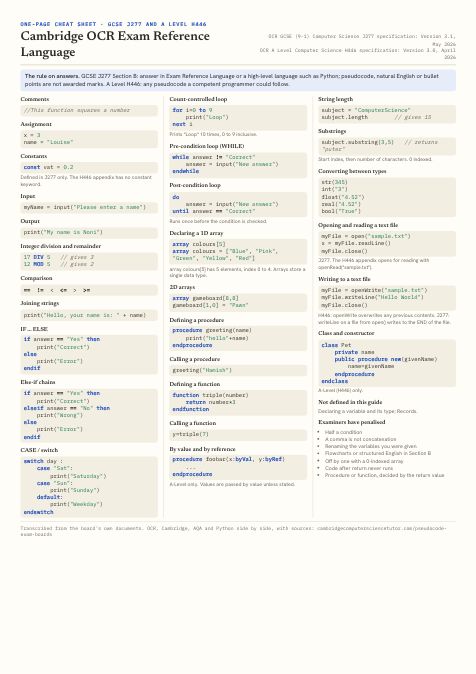
One A4 page per board, made for the inside of a revision folder: the constructs you write most, the board's rule on answers, and the slips its examiners penalise. The full table is also available as CSV and JSON for teachers who want to build their own worksheets. Please link back to this page if you reuse it.
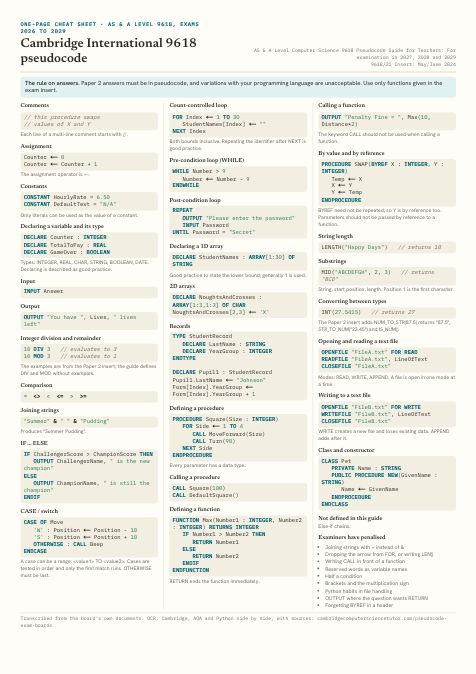
Cambridge 9618 cheat sheet
AS & A Level 9618, exams 2026 to 2029. One A4 page, PDF.
Download PDFOpen to print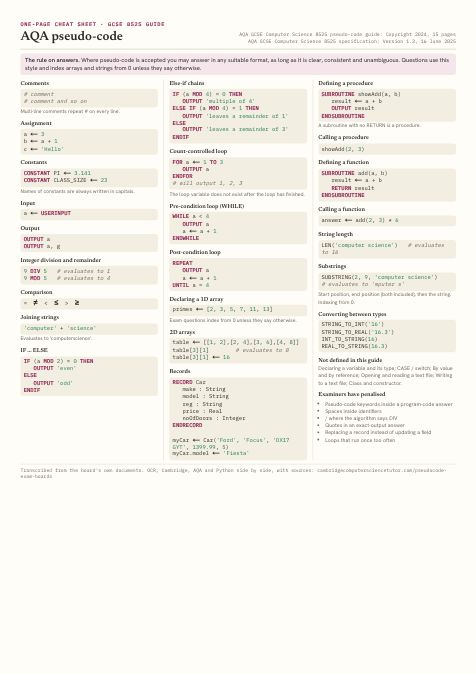
Which board wrote this?
Eight snippets, each one written in a single board's notation. Spotting the board from one line is the quickest test of whether the differences have stuck, and the explanation after each answer names the giveaway.
8 snippets
- 01
for i=0 to 7 print("Hello") next i - 02
FOR a←1 TO 3 OUTPUT a ENDFOR - 03
OUTPUT "Summer"&" "&"Pudding" - 04
for i in range(10): print("Loop") - 05
SUBROUTINE add(a, b) RETURN a + b ENDSUBROUTINE - 06
do answer = input("New answer") until answer=="Correct" - 07
CALL Square(100) - 08
IF qty≠7 THEN OUTPUT 'check' ENDIF
Questions
What is the difference between OCR, Cambridge and AQA pseudocode?
They are three separate notations. OCR's Exam Reference Language looks like Python: lower-case keywords, = for assignment, == for equality and arrays from 0. Cambridge International 9618 pseudocode uses upper-case keywords, the ← arrow for assignment, typed DECLARE statements, & to join strings and arrays whose bounds you state, usually from 1. AQA pseudo-code also uses upper-case keywords and ←, but indexes from 0, writes ≠ for not-equal and has one SUBROUTINE keyword for procedures and functions. The three also disagree on substring arguments, string length and how a FOR loop ends.
Do I have to write my exam board's pseudocode in the exam?
It depends on the board. OCR A Level says learners are not expected to memorise its pseudocode and may use any style a competent programmer could follow. OCR GCSE Section B wants Exam Reference Language or a high-level programming language, and answers in pseudocode, natural English or bullet points are not awarded marks. AQA GCSE says students may answer in any suitable format and do not need to use the AQA pseudo-code. Cambridge 9618 Paper 2 requires answers in pseudocode, and its examiners say variations with your programming language are unacceptable when pseudocode is asked for.
Can I write Python instead of pseudocode?
For OCR, yes: GCSE accepts Exam Reference Language or a high-level programming language, and Python is the usual choice. For AQA GCSE, any clear format is accepted where pseudo-code is an accepted response, but a question that asks for program code needs real code in your language, not OUTPUT. For Cambridge 9618 Paper 2, no: the question asks for pseudocode, language-specific functions that are not in the exam insert should not be used, and writing LEN() instead of LENGTH() has been called out by examiners.
Do Cambridge 9618 arrays start at 0 or 1?
Neither by default. Cambridge pseudocode states both bounds when an array is declared, for example DECLARE StudentNames : ARRAY[1:30] OF STRING, and the guide says it is good practice to state the lower bound and that generally 1 is used. Strings are also counted from 1: MID("ABCDEFGH", 2, 3) returns "BCD". OCR and AQA both index arrays and strings from 0.
Does AQA have a pseudocode guide for A-level?
No. AQA publishes a pseudo-code guide for GCSE 8525 only. The A-level 7517 specification asks students to express algorithms in pseudo-code and hand-trace them but defines no syntax. The June 2022 7517/1 paper printed pseudo-code close to the GCSE style with some differences: FUNCTION ... ENDFUNCTION instead of SUBROUTINE, FOR EACH N IN, and LENGTH() rather than LEN().
Which string functions does Cambridge give you in the exam?
The Paper 2 insert, not the guide, is what you have in the room. The June 2024 9618/21 insert supplied LEFT, RIGHT, MID, LENGTH, TO_UPPER, TO_LOWER, NUM_TO_STR, STR_TO_NUM, IS_NUM, ASC, CHR, INT, RAND, EOF and date functions such as DAY, MONTH, YEAR and TODAY, plus the MOD and DIV operators. The guide itself has no LEFT, ASC or CHR, and its UCASE and LCASE take a single character. The syllabus says string manipulation functions will always be given.
Is OCR the same as Cambridge International?
No. OCR, now branded Cambridge OCR, is the UK board behind GCSE J277 and A Level H446, and its notation is Exam Reference Language. Cambridge International (CAIE) sets AS and A Level 9618 and IGCSE, with its own and quite different pseudocode. Both sit under Cambridge University Press & Assessment, so go by the specification code rather than the word Cambridge.
Did the Cambridge pseudocode guide change for 2027 to 2029?
Not in its syntax. Comparing the guide for examination in 2026 with the guide for 2027, 2028 and 2029, the constructs, keywords and examples are the same. The one content change is a corrected example: the Cat class declared its Breed attribute as INTEGER while assigning it text, and the newer guide declares it as STRING.
Checked against the boards' documents, with versions
- Cambridge OCR GCSE (9-1) Computer Science J277 specification · Version 3.1, May 2026. Section 3c, OCR Exam Reference Language. The GCSE Exam Reference Language table, and the Section B rule on what earns marks.
- Cambridge OCR A Level Computer Science H446 specification · Version 3.0, April 2026. Appendix 5d, Pseudocode. The A-Level pseudocode: parameters by reference, openRead/openWrite, and objects.
- Cambridge International AS & A Level Computer Science 9618 Pseudocode Guide for Teachers · For examination in 2027, 2028 and 2029. Version 1, September 2024. Every Cambridge cell. Section numbers in the table refer to this guide.
- Cambridge International 9618 Pseudocode Guide for Teachers · For examination in 2026. Version 1, September 2023. Diffed against the 2027 to 2029 guide to confirm what changed.
- Cambridge International 9618/21 Insert · May/June 2024. The functions actually handed to candidates in Paper 2, which differ from the guide.
- Cambridge International 9618 Principal Examiner Report for Teachers · June 2024, Papers 21, 22 and 23. The pseudocode slips that lost marks.
- AQA GCSE Computer Science 8525 Notes and guidance: Pseudo-code · Copyright 2024, 15 pages. Every AQA cell. Page numbers in the table refer to this document.
- AQA GCSE Computer Science 8525 specification · Version 1.3, 16 June 2025. GCSE exams June 2027 onwards. Section 3.2: what form of answer AQA accepts.
- AQA A-level Computer Science 7517/1 question paper · June 2022. The pseudo-code AQA actually printed at A-level, which has no published guide.
- AQA AS and A-level Computer Science 7516/7517 specification · Version 1.6, 31 July 2023. Confirms A-level pseudo-code appears only as a design and tracing skill, with no syntax defined.
- AQA GCSE Computer Science 8525/1 Report on the Examination · June 2022. Slips that lost marks.
- AQA GCSE Computer Science 8525/1A-C Report on the Examination · June 2023. Slips that lost marks.
- OCR J277/02 Examiners' report · Summer 2024. Slips that lost marks.
- OCR J277/02 Examiners' report · Summer 2025. Slips that lost marks.
- OCR H446/02 Examiners' report · Summer 2024. Slips that lost marks.
- OCR H446/02 Examiners' report · Summer 2025. Slips that lost marks.
- The Python Tutorial and Library Reference · Python 3. The Python column. Every snippet is executed by our test script.
Boards revise these documents. If anything here disagrees with the current version of a guide, the guide is right, and I would like to hear about it so the page can be corrected. For the OCR notation in more depth, with a worked example for every construct, see the complete OCR Exam Reference Language guide.
Moving between boards is where the marks leak
Most students who lose marks on pseudocode know the logic. They learned one notation from a textbook, another from a revision video and a third from Python, and the exam catches the join. A lesson fixes that on your own past-paper answers: which habit belongs to your board, and which one to drop.
I teach GCSE (OCR, AQA and Edexcel), Cambridge IGCSE and A-Level, including Cambridge 9618 Computer Science, online.